MBTA mTicket
- 3.0
- Rating
- 500.00K
- Installs
- Free
- Price

 Analysis by App-foxy
Buying public transport tickets is one of those small tasks that becomes surprisingly annoying when it arrives at the wrong moment. I noticed that immediately with MBTA mTicket: its appeal is not that it tries to become a complete travel companion, but that it focuses on getting an MBTA ticket onto my phone without sending me to a station machine. That narrow purpose makes the app easy to understand, although it also means its lasting value depends almost entirely on how often I use MBTA services.
Developed by MBTA, this free Maps & Navigation app is aimed at passengers who want to handle fares digitally. It is available to everyone, and the current release is version 7.9.4 for devices running Android 7.0 or later. The app has been around since November 8, 2012, so it is not a new experiment competing for attention during one travel season. It has become a familiar tool for many riders, with over 500 thousand installs, while its average rating sits at 3.0 from around 1.6 thousand ratings.
That rating tells me to approach it as a useful utility rather than a flawless daily companion. In my experience, the right question is not whether it has the most attractive interface or the broadest set of travel features. The better question is whether it removes enough ticket-buying friction to deserve a permanent place on my phone. For regular MBTA riders, the answer can be yes. For occasional visitors who mainly need directions, another app may be more useful.
You May Also Like

 Blood Strike: 2.5 Anniversary
Blood Strike’s Loadouts Turn Every Drop Into a Tactical Gamble
A close look at Blood Strike’s custom loadouts: how fast access to signature weapons reshapes its battle royale rhythm, rewards preparation, and narrows the gap between fights.

 Pandora - Music & Podcasts
Pandora’s Music Is Easy to Start, but Harder to Recover
Pandora’s strength is its low-effort path from a seed to a station. Its weak spot is how much confidence it asks you to place in connection, setup, and quiet recovery.

 8 Ball Pool
 Is Built on Rivalries, Rematches, and Routine
A close look at the rivalries, rematches, shared routines, and unanswered safety questions that turn a quick pool match into a persistent mobile community.

 Samsung Music
’s Quiet Strength Is Playing What You Already Own
Its reach comes less from spectacle than from dependable access to a personal library. That simplicity is both the app’s strongest retention engine and its ceiling.

 AccuWeather: Weather Radar
AccuWeather Review: A Quick, Clear Forecast for Everyday Decisions
For everyday plans, the best forecast is the one you can understand quickly. AccuWeather makes rain timing, radar, and local conditions easy to act on, with a few trade-offs.

 Hill Climb Racing
Why Hill Climb Racing Still Turns Crashes Into One More Run
A tiny car, a bumpy hill and one more upgrade: Hill Climb Racing keeps resurfacing because its simple chaos makes every near-miss feel personal.
More From Our News Desk



What the first week feels like
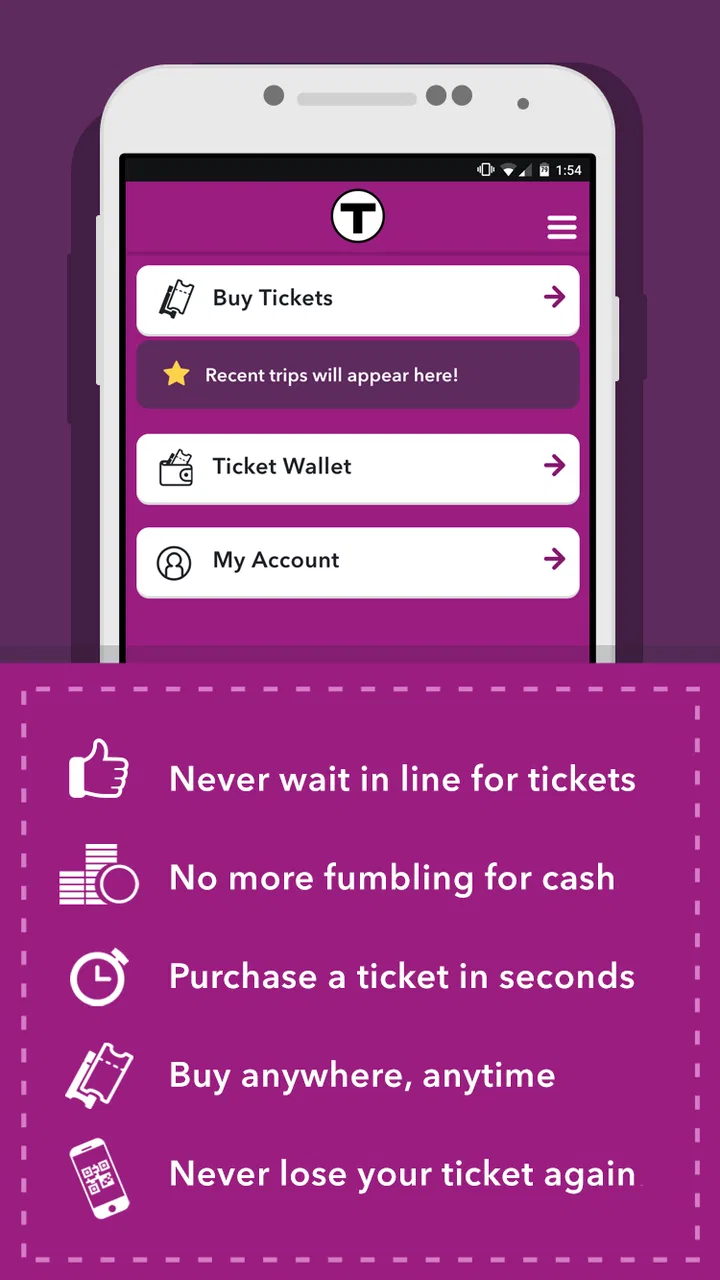
The first week with MBTA mTicket is mostly about changing a habit. Instead of treating a ticket as something I must buy immediately before boarding, I can use the phone as the place where that purchase happens. That matters when I am leaving home in a hurry, walking toward a stop, or trying to avoid a queue at a station. The store summary promises a ticket purchase in seconds, and that is the central experience the app is built around.
I found the limited scope reassuring. There is less to learn than in a general navigation platform that combines maps, route planning, traffic, walking directions, and fare information. MBTA mTicket is not asking me to reorganize my whole journey. It is there for the fare transaction. If I already know which service I am taking, the app fits naturally into the few minutes before departure.
A realistic everyday use case is a commuter who leaves work at an unpredictable time. Rather than stopping at a machine every afternoon, that person can open the app when the return trip is clear, complete the purchase, and keep moving. The benefit is especially noticeable when the station is busy or when carrying a bag makes using a physical machine inconvenient. I would still check the selected ticket carefully before confirming, because a fast purchase is only helpful if it matches the trip I actually intend to take.
Another useful habit is preparing before reaching the platform. I prefer to buy while I still have a moment and a reliable connection, rather than waiting until boarding is imminent. That is not a glamorous feature, but it is an important workflow improvement: the app works best when it is part of a small departure routine, not an emergency tool opened with seconds to spare.
The first-week appeal also comes from reducing dependence on a separate physical step. A traveler who dislikes handling cash or searching for a machine may appreciate having the ticket process alongside the rest of the phone-based travel routine. At the same time, the app should not be mistaken for a universal transit pass for every city. Its value is tied to MBTA travel, so someone visiting Boston once may not gain enough from installing and learning it unless they expect several rides.
Where it beats the usual alternatives
The usual alternatives are a station vending machine, a staffed sales point, or a broader transit app used mainly for directions. Each has a different strength. A machine is familiar and does not require a phone battery, while a general navigation app is better at answering questions such as which route to take or when to leave. MBTA mTicket occupies the gap between those options: it is more convenient than a machine for a prepared rider, but it is not a replacement for route planning.
That distinction is important. I would use a navigation app to understand the journey and MBTA mTicket to handle the fare when the trip calls for an MBTA ticket. Trying to make the ticket app do the navigation job creates unnecessary frustration. The strongest setup is often two tools with clearly separated responsibilities, not one app forced to cover everything.
For a first-time rider, I would not rely on it alone. I would first confirm the service, direction, and ticket type through the relevant travel information, then use the app for the purchase. This two-step approach is slightly less instant, but it avoids the common mistake of confusing a ticket transaction with journey guidance.
Why it can remain useful month after month
After the novelty fades, the app’s value becomes repetitive rather than exciting. That is a good thing for a utility. I do not need new entertainment or a clever discovery every time I open it; I need the same basic task to remain reasonably dependable. If I take MBTA services regularly, the application can become a quiet part of my commuting routine, much like checking the weather before leaving.
The recurring benefit is strongest for people whose travel pattern is stable enough to recognize the right purchase quickly. A commuter, student, or frequent visitor may save small amounts of time repeatedly. Those small savings are more meaningful than a single dramatic convenience because they remove the same point of friction over and over again.
There is also a useful psychological advantage to separating ticket buying from the station environment. When I purchase before arriving, I am less likely to feel rushed by a line behind me or by an approaching departure. That can make the trip feel calmer even when the actual travel time has not changed. The app earns its space through this repeated reduction in pressure, not through a large collection of extra tools.
Still, lasting value depends on the kind of rider I am. Someone who uses MBTA only a few times a year may find that the app takes up space without becoming a habit. A visitor may prefer the simplicity of buying at the station, especially if they are already carrying a dead or nearly dead phone. In that situation, the digital option is convenient in theory but not necessarily the least stressful choice.
I also would not judge it by the standards of a full navigation suite. If I want live route discovery, walking instructions, or a broad view of several transport networks, a dedicated maps app is likely the better daily tool. MBTA mTicket earns long-term value only when its specific job appears often enough. It is a specialist, and specialists are useful when their task is part of my routine.
Three habits that make a real difference
- Buy before the last minute: I treat ticket purchase as part of preparing to leave, not as something to do while boarding. This reduces the risk of rushing through the selection process.
- Separate planning from payment: I use a navigation tool or other travel information to understand the route, then use MBTA mTicket for the fare. Keeping those jobs separate makes the app feel simpler.
- Keep a backup mindset: I avoid making the phone app my only plan when the battery is low or the trip is especially important. A digital ticket is convenient, but convenience depends on the phone remaining usable.
These habits reveal a trade-off that is easy to miss in a short store description. The application can make the purchase quicker, but it does not remove the need for attention. I still need to choose correctly, allow enough time, and think about the condition of the device carrying the ticket. The app reduces one part of the journey; it does not make the entire journey automatic.
Maintenance is light, but not invisible
One reason I can imagine keeping MBTA mTicket installed is that a focused ticketing app does not demand constant interaction. I do not need to browse it for entertainment or maintain a complicated personal setup. Its maintenance burden is mainly practical: keeping the application current, remembering where it is on the phone, and making sure the device is ready when I travel.
The age of the product works both ways. Having been available since 2012 suggests that it has had time to become an established MBTA tool, and the current version shows that it continues to receive a maintained release line. At the same time, a long-running app can feel less polished than newer consumer software. My expectation would be reliability in the core transaction rather than constant visual reinvention.
Updates are worth treating as part of the routine, especially for an app connected to a live transport service. I would not wait until the morning of an important trip to discover that the application needs attention. Updating when convenient, opening the app before departure, and checking that the account or purchase flow is ready are small steps that protect the convenience the app is supposed to provide.
Phone storage is rarely the decisive issue for a utility like this, but attention is. Every extra app competes for a place in my mental routine. If I use MBTA frequently, I can justify that space easily. If I do not, I may forget how the purchase process works by the time I need it, which weakens the advantage over simply using a station machine.
The age rating of Everyone also fits the straightforward public-transport purpose. I would still make sure that less experienced users understand the difference between buying a ticket and planning a trip. The interface may be approachable, but the responsibility for selecting the correct journey remains with the person using it.
Where repeated use can become tiring
The first source of fatigue is narrowness. At the beginning, the focused design feels refreshing. After several weeks, I may wish it also answered more of the questions that arise around a journey. When I need route context, service planning, or a broader transport view, I have to move between apps. That is not necessarily a defect, but it adds a step and makes the overall travel workflow feel fragmented.
The second source is the dependence on a functioning phone. A paper ticket or station purchase can feel more dependable when the battery is nearly empty, the screen is damaged, or the device is being used heavily for directions. Digital convenience always carries that practical condition. I would keep the app, but I would not let it encourage careless preparation for a long or unfamiliar trip.
There is also the possibility of purchase anxiety. A quick transaction can create the impression that there is no need to pause, yet selecting the wrong fare or service would cancel out the time saved. I prefer to slow down for a moment at the confirmation stage. That is a small friction, but it is healthy friction: it prevents speed from becoming carelessness.
The average rating of 3.0 is another reason I would keep expectations measured. It does not make the app unusable, but it suggests that the experience has not satisfied everyone. I would interpret that as a reminder to judge it by the core task and by my own travel pattern, rather than assuming that a well-established app will feel perfect on every phone or for every rider.
For infrequent riders, the most tiring part may simply be remembering that this separate tool exists. A general maps application is often already installed and familiar. If my journey requires only occasional ticket buying, the extra app may not become automatic enough to justify the mental overhead. In that case, the station option or a broader travel tool may be the more comfortable choice.
Who should keep it installed
I would recommend MBTA mTicket to regular MBTA passengers who repeatedly buy tickets and value avoiding station queues. It is particularly sensible for commuters whose departure routine is predictable, for people who prefer handling fares before they reach the platform, and for riders who already use their phone as the center of their travel planning.
I would also consider it useful for someone who visits the Boston area often rather than for a one-time tourist. Repeated visits give the app enough opportunities to become familiar, and familiarity is what turns a small convenience into a lasting one. The free price removes the financial barrier to trying it, although the real cost is the extra dependency on a phone and a separate ticketing workflow.
I would be more cautious about recommending it to someone who needs a full navigation experience in one place. If route discovery is the main problem, MBTA mTicket is not the right answer by itself. Likewise, a rider with unreliable phone access, a nearly empty battery, or a strong preference for physical transactions may be better served by the usual station alternatives.
Its broad availability also makes it approachable for a mixed household, but I would still explain the process before handing it to a first-time user. The app is most helpful when the person already knows what service they need. It is less helpful when they are still trying to understand the network, compare routes, or decide where to go.
My long-term verdict
After the first-week convenience wears off, MBTA mTicket survives on repetition. That is exactly how a transport utility should be judged. I do not need to open it every day for it to earn a place on my phone; I need it to remove a recurring annoyance whenever I take an MBTA service. For a regular rider, buying a ticket in advance can become a dependable habit rather than a novelty.
My recommendation is positive but specific. I would install it if MBTA ticket purchases are a normal part of my month, and I would pair it with a separate navigation app for route decisions. I would keep a little extra time before departure, check the ticket choice carefully, and avoid depending on it when my phone is not in good condition.
MBTA mTicket earns lasting space when ticket buying is the problem I face repeatedly. It does not replace every transit tool, and its middling 3.0 average rating makes a cautious trial sensible. But for the right rider, its focused purpose is enough: fewer stops at machines, less last-minute pressure, and a ticket workflow that can become part of an ordinary travel routine.
FAQs for MBTA mTicket
01What is the MBTA mTicket app used for?
The MBTA mTicket app allows users to purchase and manage train and ferry tickets for the Massachusetts Bay Transportation Authority directly from their smartphones. It offers a convenient way to buy tickets on-the-go, check schedules, and avoid the hassle of paper tickets. This digital solution enhances the transit experience by offering real-time updates and easy access to travel information.
02How do I purchase a ticket using the MBTA mTicket app?
To purchase a ticket with the MBTA mTicket app, simply create an account or log in, select the desired route and ticket type, and proceed to payment. The app accepts major credit cards and PayPal. Once purchased, tickets are stored digitally in the app and can be activated before boarding the train or ferry.
03Can I use the MBTA mTicket app without an internet connection?
While you need an internet connection to purchase and download tickets, the MBTA mTicket app allows you to activate and display your tickets without being connected to the internet. However, it's recommended to ensure your tickets are downloaded and ready before heading to areas with limited connectivity.
04Is the MBTA mTicket app available for both Android and iOS devices?
Yes, the MBTA mTicket app is available for both Android and iOS devices. It can be downloaded from the Google Play Store for Android users and the Apple App Store for iOS users. The app is designed to be user-friendly and compatible with a wide range of devices, ensuring broad accessibility.
05What should I do if I encounter issues with the MBTA mTicket app?
If you experience any issues with the MBTA mTicket app, such as payment errors or ticket activation problems, you should contact their customer support for assistance. The app also includes a help section with FAQs and troubleshooting tips to resolve common issues. Keeping the app updated can also prevent technical glitches.
Pros
- Easy ticket purchase process
- Supports multiple payment options
- No need for paper tickets
- Real-time schedule updates
- User-friendly interface
Cons
- Occasional app crashes
- Limited offline functionality
- No support for all MBTA lines
- Battery drain on prolonged use
- Inconsistent notifications

MBTA mTicket
Gallery